Free printable time card
Print a blank weekly or biweekly time card on US Letter paper. Each day has two In and two Out boxes, so lunch is written down, plus an Hours column and a weekly total. Free PDFs, no sign-up.
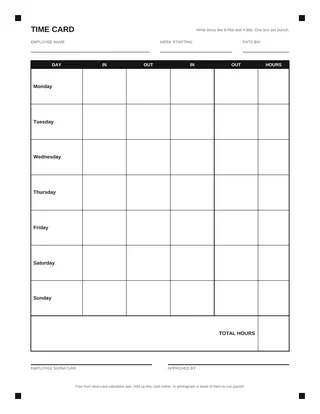 Weekly time card
One card per page, big boxes
Open the PDF
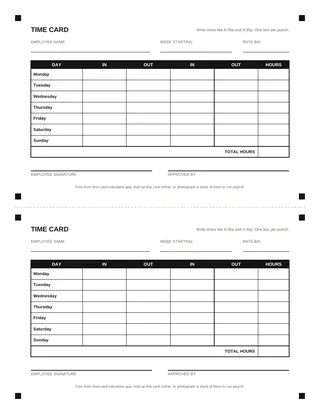 Two cards per sheet
Half-page cards, saves paper
Open the PDF
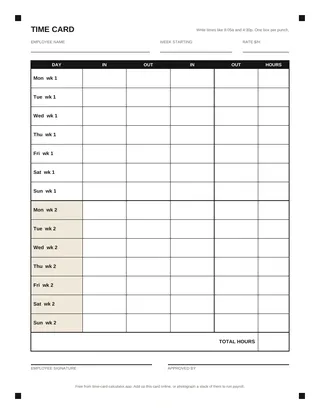 Biweekly time card
14 days, weeks kept apart
Open the PDF
How to fill out the time card
- Write the name and the first day of the week. The week starts on whatever day your workweek starts, often Sunday or Monday.
- Write each punch in its own box. The first In is when you start, the first Out is when you leave for lunch, the second In is when you come back and the last Out is when you finish. A day with no lunch uses only the first In and Out.
- Add a or p to every time. 8:05a and 4:30p cannot be misread. Write it at the moment you punch, not at the end of the week.
- Total each day and the week. Type the times into the time card calculator to get the hours, overtime and pay, then copy the totals onto the card. Sign at the bottom.
Why these cards are easy to read
We designed the cards for the person who adds them up, and for our photo reader. The columns are always In, Out, In, Out, in that order, so a time never lands in the wrong slot. Each row has the day printed in it, so a skipped day is a blank row, not a shifted one. The black squares in the corners let the reader find the card's edges in a tilted phone photo.
That matters if you run a small team on paper. A stack of these cards, photographed on a counter, can go straight into Run payroll, which fills in everyone's week and checks overtime and meal breaks before you pay.
Weekly or biweekly?
Pick the card that matches how often you pay. A weekly card is one workweek. The biweekly card covers two workweeks on one page, with a heavier line between them, because overtime is counted for each week on its own. Two weeks of 48 and 32 hours hold 8 hours of overtime even though they add up to 80. The timesheet calculator adds up both weeks this way.
What a time card should record
Federal law asks employers to keep, for each hourly worker, the hours worked each workday and each workweek, along with pay details (29 CFR 516.2). A card with the start and end of each work period, the daily total and the weekly total covers the hours part. Keep time cards for at least 2 years and payroll records for at least 3. California asks for 3 years for both.
Want to type instead of write? The time card template comes as an Excel file with the formulas already in.
Printing tips
- Print at 100% or "Actual size", not "Fit to page", so the boxes stay the same size.
- Card stock (65 lb or heavier) holds up better in a wall rack than plain paper.
- For the two-per-sheet version, cut along the dashed line in the middle.
Ready to add up your own week?
Open the time card calculator